
How can we help you manage your gym?
Explore step-by-step guides on attendance tracking, WhatsApp membership reminders, staff roles, billing, and system settings.
Understanding Financial Reports and Revenue Analytics
ApexGymOS gives gym owners a quick overview of their gym's financial and operational performance through the dashboard. You can monitor monthly revenue, revenue vs expense trends, attendance, active members, and upcoming membership expirations from one place. ApexGym OS Guide
This guide explains the key financial and business metrics available in ApexGymOS.
1. Open the ApexGymOS Dashboard
Log in to your ApexGymOS account and open the main dashboard.
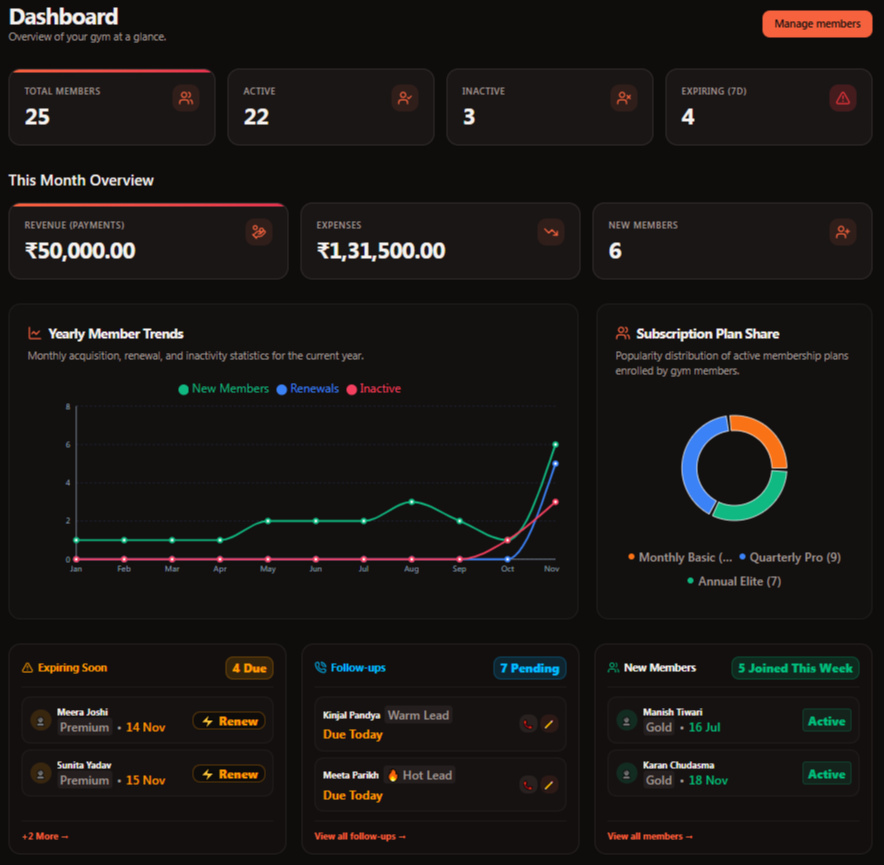
The dashboard provides a quick overview of your gym's current activity and key performance information.
2. Check Monthly Revenue
The Monthly Revenue metric shows the revenue collected during the current month.

This gives you a quick way to understand how much revenue your gym has collected during the current month.
3. Understand Revenue vs Expense
ApexGymOS provides a Revenue vs Expense overview to help you compare your gym's revenue and expenses.
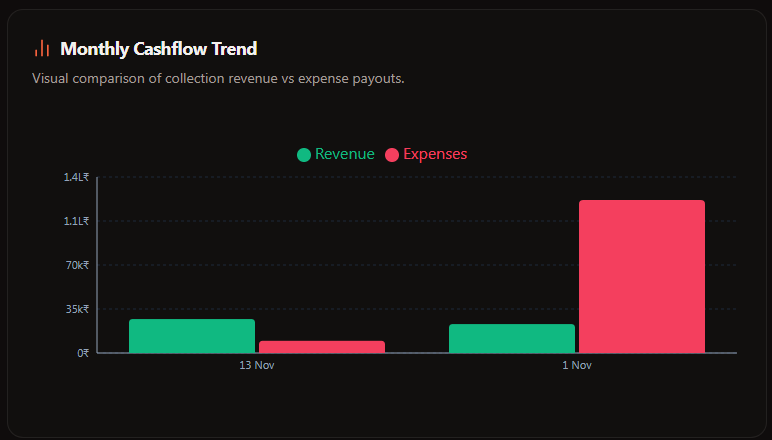
Use this information to understand the relationship between money coming into the gym and recorded expenses.
The dashboard specifically includes Revenue vs Expense as an overview of revenue and expense trends. ApexGym OS Guide
4. Review Total and Active Members
The dashboard also provides member-related metrics that help you understand your current gym activity.
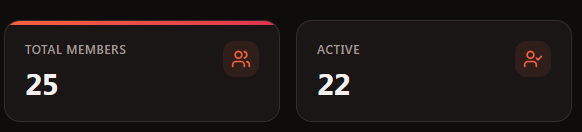
Total Members
Shows the total number of registered members.
Active Members
Shows members whose membership has not expired.
These metrics help you quickly understand the size of your current member base. ApexGym OS Guide
5. Monitor Today's Attendance
Today's Attendance shows the number of members who checked in today.

This gives you a quick view of the day's gym activity.
6. Understand Peak Attendance
ApexGymOS also provides Peak Attendance information.
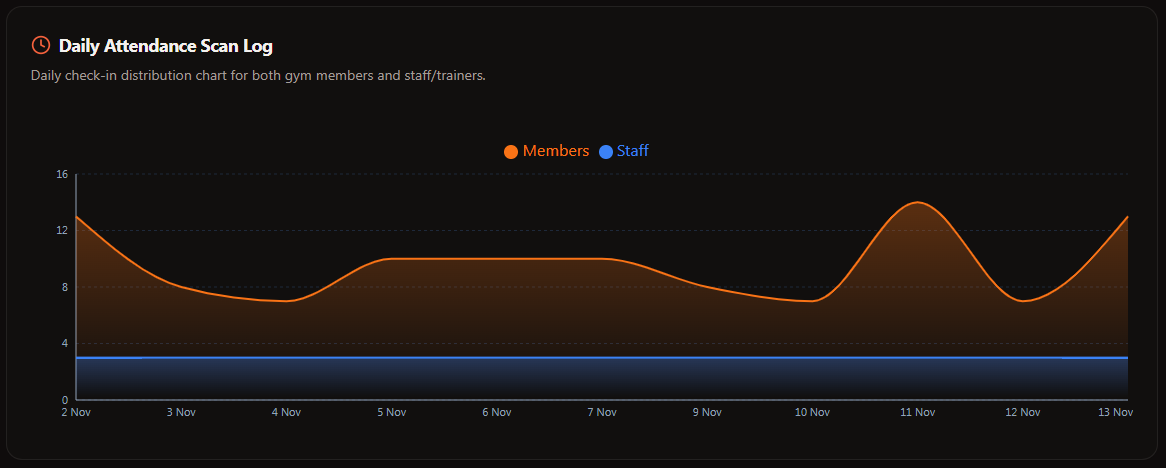 eak attendance helps identify the busiest attendance periods in your gym. ApexGym OS Guide
This information can help gym owners understand when their gym experiences higher member activity.
7. Monitor Expiring Memberships
The dashboard includes an Expiring Members metric for members whose memberships are expiring within the next 7 days.
Regularly checking this section helps you stay aware of upcoming membership expirations. ApexGym OS Guide
Financial & Analytics Checklist
Use the dashboard regularly to review:
- Monthly Revenue
- Revenue vs Expense
- Total Members
- Active Members
- Today's Attendance
- Peak Attendance
- Expiring Members
Summary
ApexGymOS brings important gym performance information together on the dashboard. From monthly revenue and revenue vs expense to member activity, attendance, and expiring memberships, gym owners can quickly understand what is happening in their business.
Was this guide helpful?
Help us improve ApexGymOS documentation.