
How can we help you manage your gym?
Explore step-by-step guides on attendance tracking, WhatsApp membership reminders, staff roles, billing, and system settings.
Managing Fee Payments and Generating Invoices
ApexGymOS makes it easy to record membership fee payments and maintain proper payment records for your gym. You can record payment details such as the member, amount, payment method, tax, and notes, and generate printable receipts. ApexGym OS Guide
1. Open the Payment Section
Log in to your ApexGymOS account and open the payment or billing section.
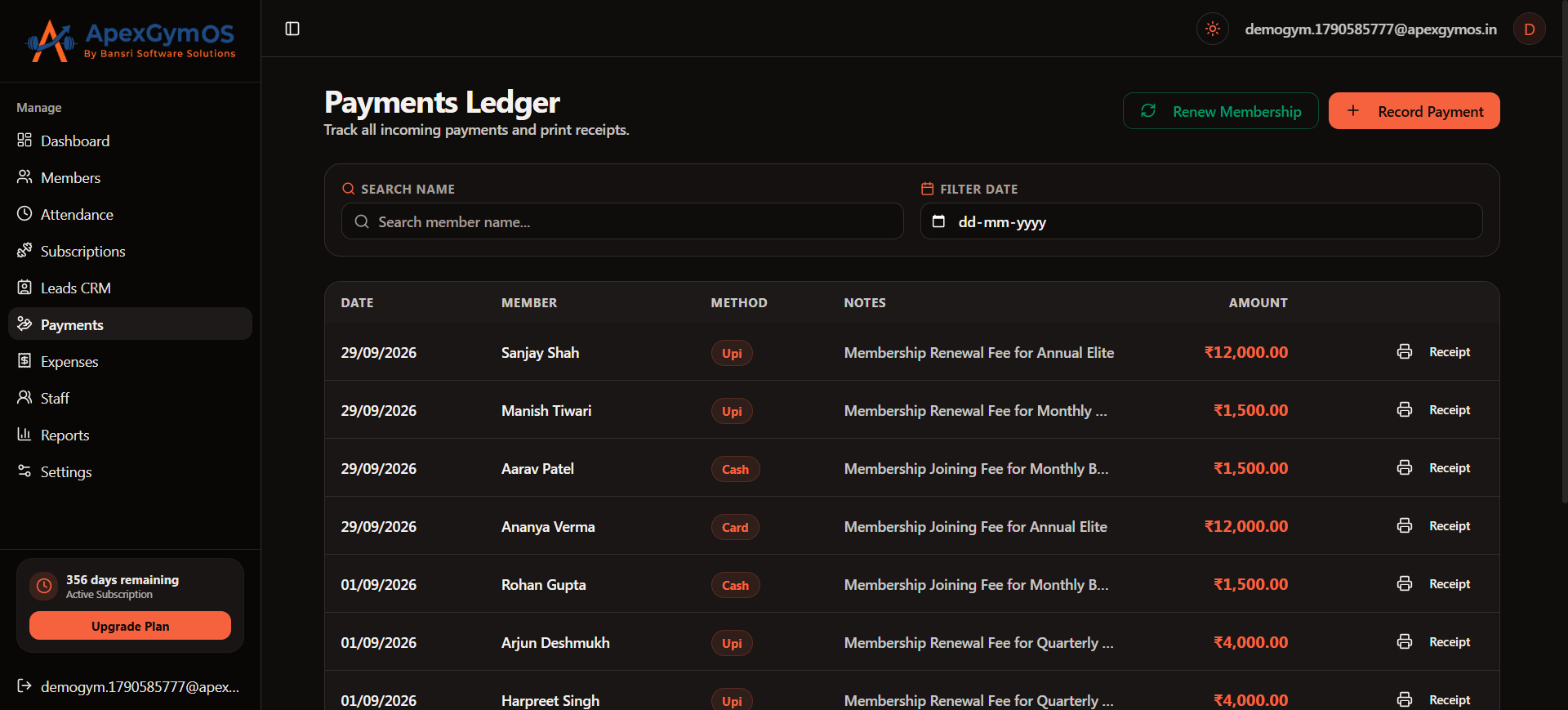
This section is used to manage membership fee payments and maintain payment records.
2. Select the Member
When recording a payment, select the member for whom the membership fee is being collected.
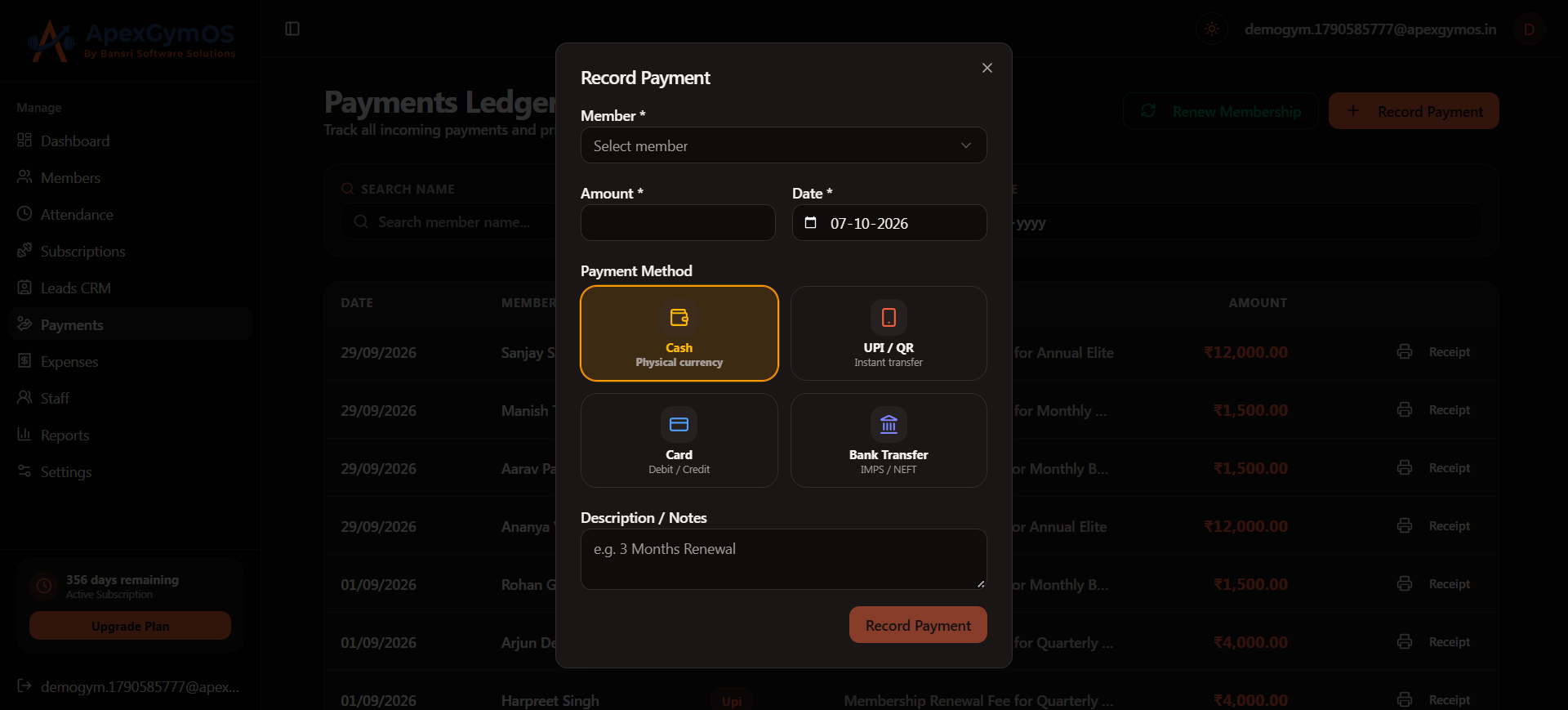
Make sure you select the correct member before entering the payment details.
3. Enter the Payment Amount
Enter the amount received from the member.
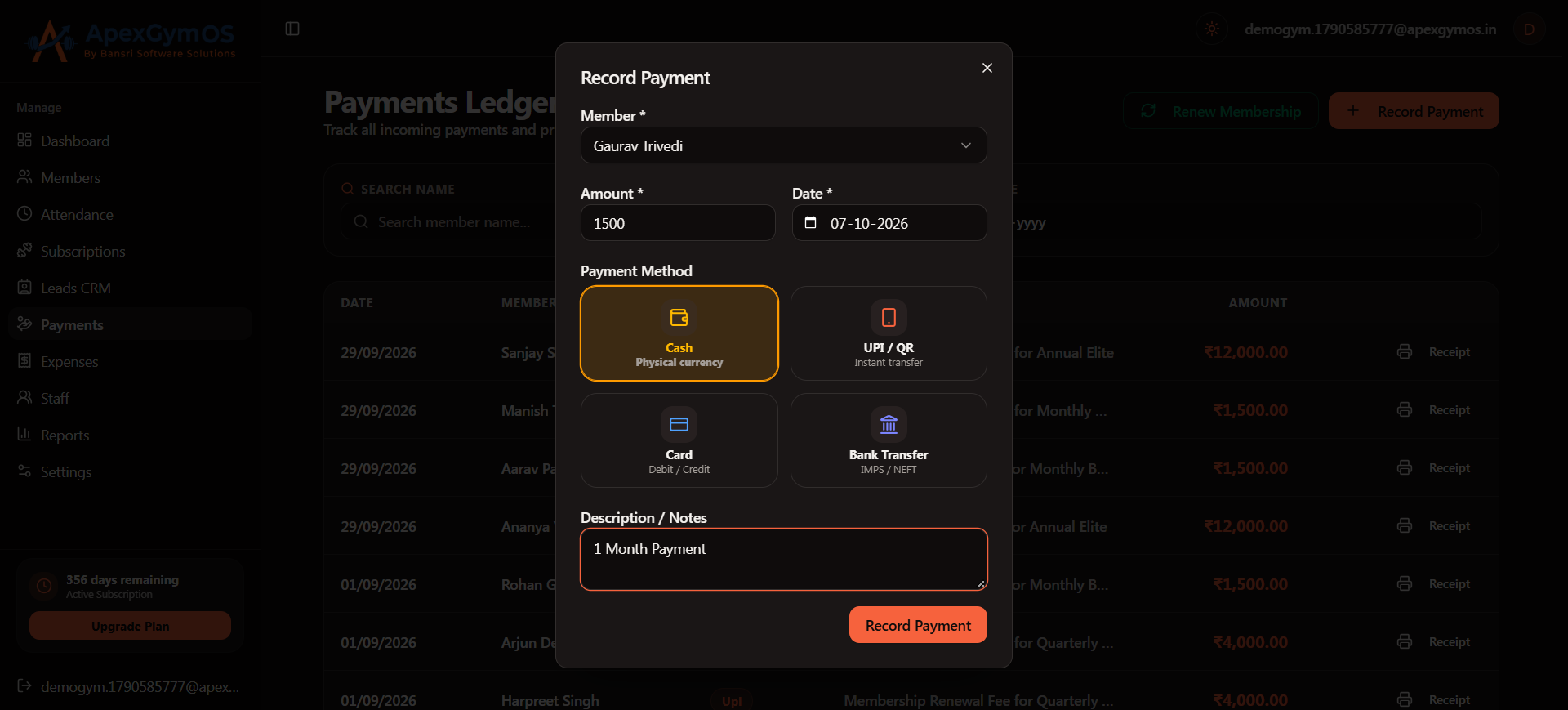
The payment amount should match the fee collected from the member.
4. Select the Payment Method
Choose the appropriate payment method for the transaction.
ApexGymOS stores the payment method along with the payment record.
5. Add Tax and Notes
If applicable, enter the relevant tax information.
You can also add notes related to the payment for future reference.
ApexGymOS supports recording the member, amount, payment method, tax, and notes as part of the payment information. ApexGym OS Guide
6. Save the Payment
After entering the required payment information, save the payment record.
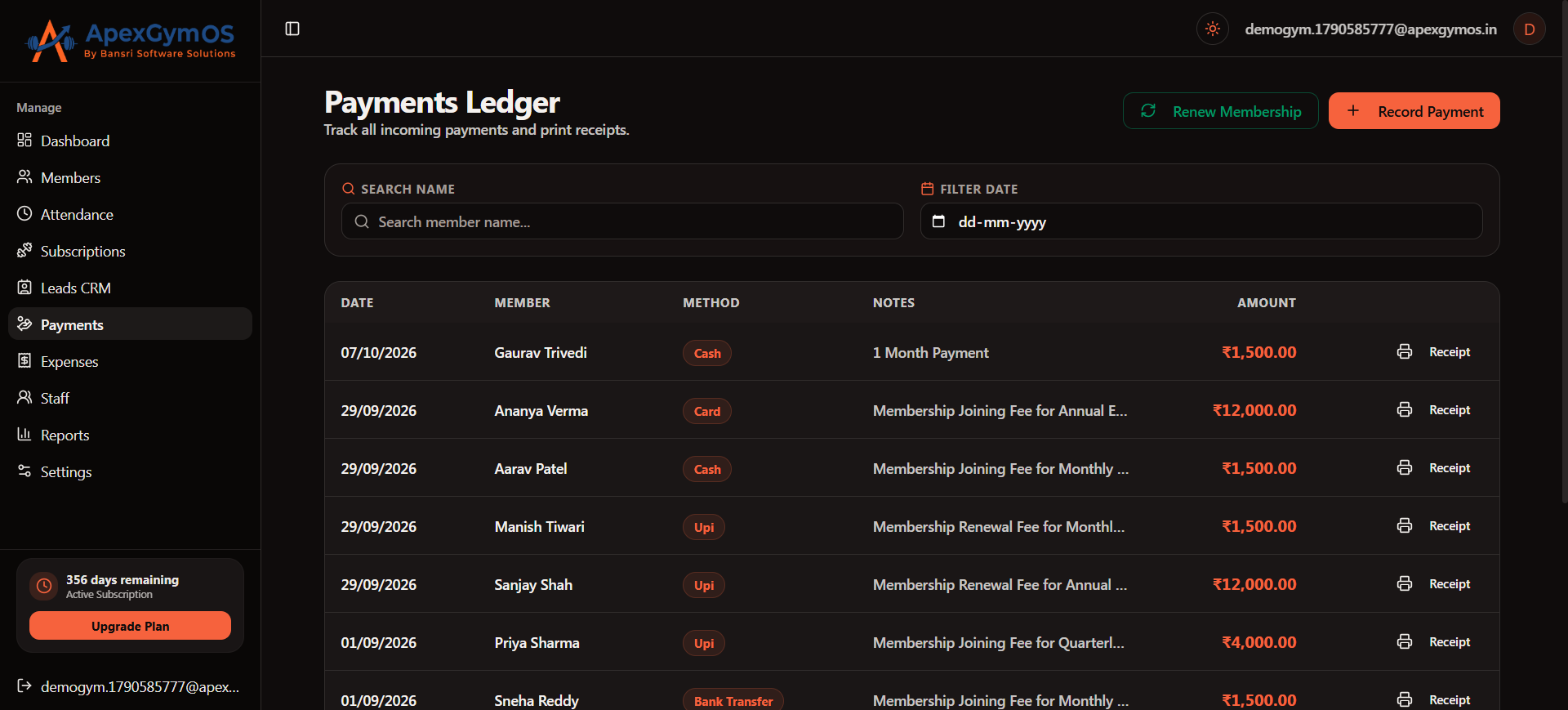
Once saved, the payment becomes part of the member's payment records.
7. Generate a Printable Receipt
ApexGymOS allows you to generate printable receipts for recorded membership payments. ApexGym OS Guide
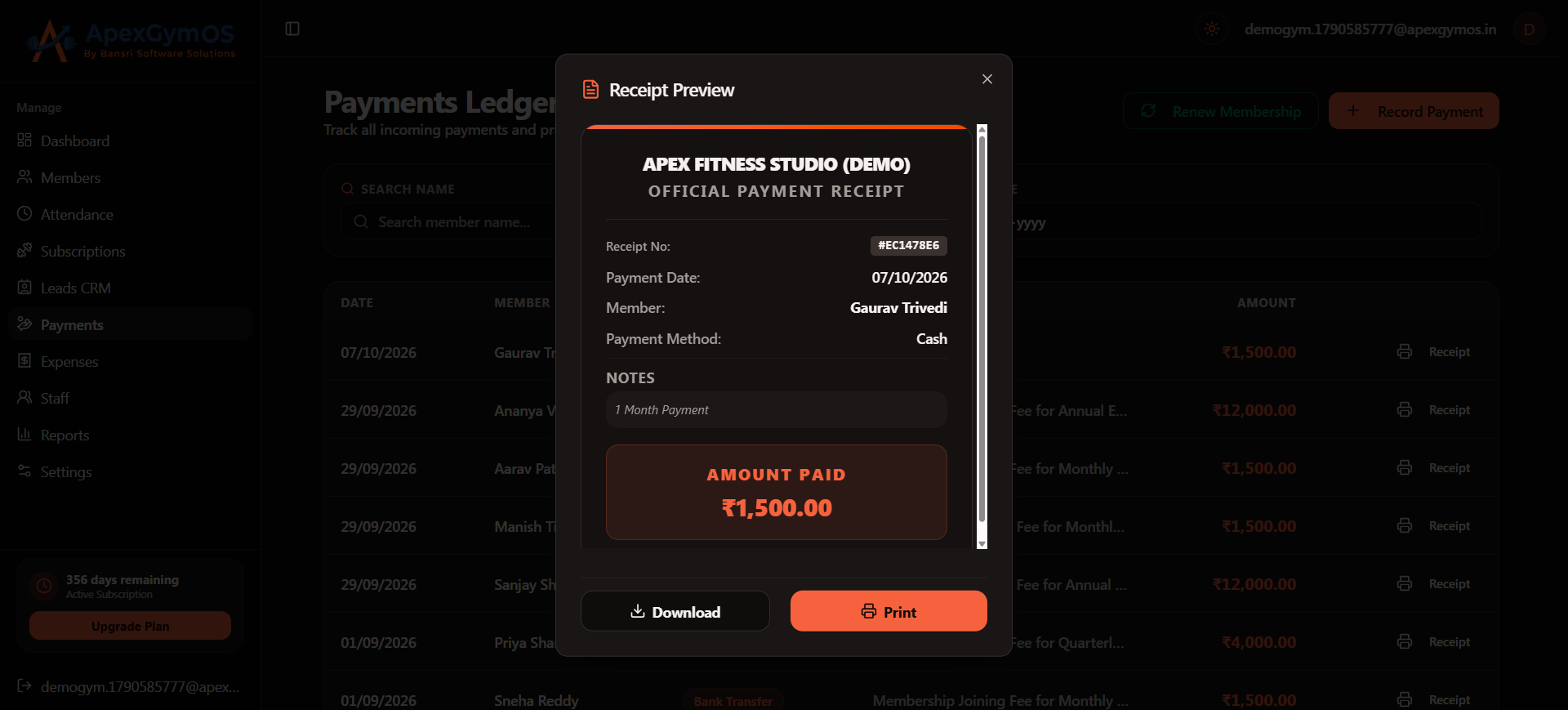
Use the receipt for your gym's payment documentation and to provide payment confirmation to the member.
8. Verify the Payment Record
After recording the payment, review the payment information to ensure that the member, amount, payment method, tax, and notes are correct.
Keeping accurate payment records helps your gym maintain organized billing information.
Payment Management Checklist
Before completing a payment, verify:
- Correct member selected
- Payment amount entered correctly
- Payment method selected
- Tax entered if applicable
- Notes added if required
- Payment saved successfully
- Receipt generated or printed
Summary
With ApexGymOS, gym owners can manage membership fee payments from one place, record important payment details, and generate printable receipts. This keeps your gym's billing process organized and makes payment records easier to maintain.
Was this guide helpful?
Help us improve ApexGymOS documentation.