
How can we help you manage your gym?
Explore step-by-step guides on attendance tracking, WhatsApp membership reminders, staff roles, billing, and system settings.
How to Create Membership Plans and Pricing
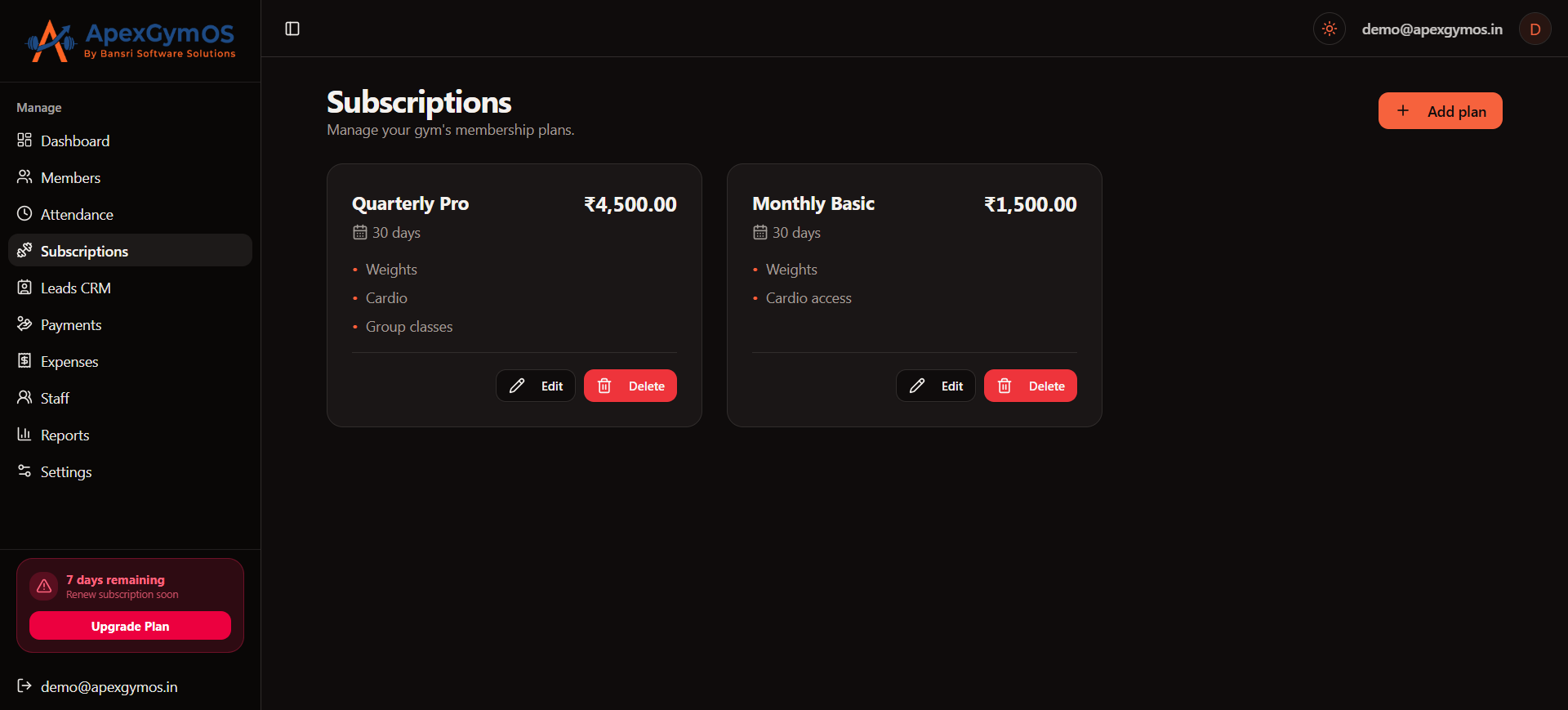
Create a Membership Plan
When creating a membership plan, add the following information:
Plan Name
Enter the name of your membership plan.
Examples:
- Monthly
- 3 Months Pro
- 6 Months
- Annual Membership
- Free Trial
Choose a clear name so staff can easily identify the plan when registering or renewing members.
Duration (Days)
Enter the total number of days for which the membership will remain active.
For example:
- Monthly Plan — 30 days
- 3 Months Plan — 90 days
- 6 Months Plan — 180 days
- Annual Plan — 365 days
The duration is used when calculating the member's membership expiry date.
Price
Enter the amount charged for the membership plan.
For a Trial Plan, set the price to 0.
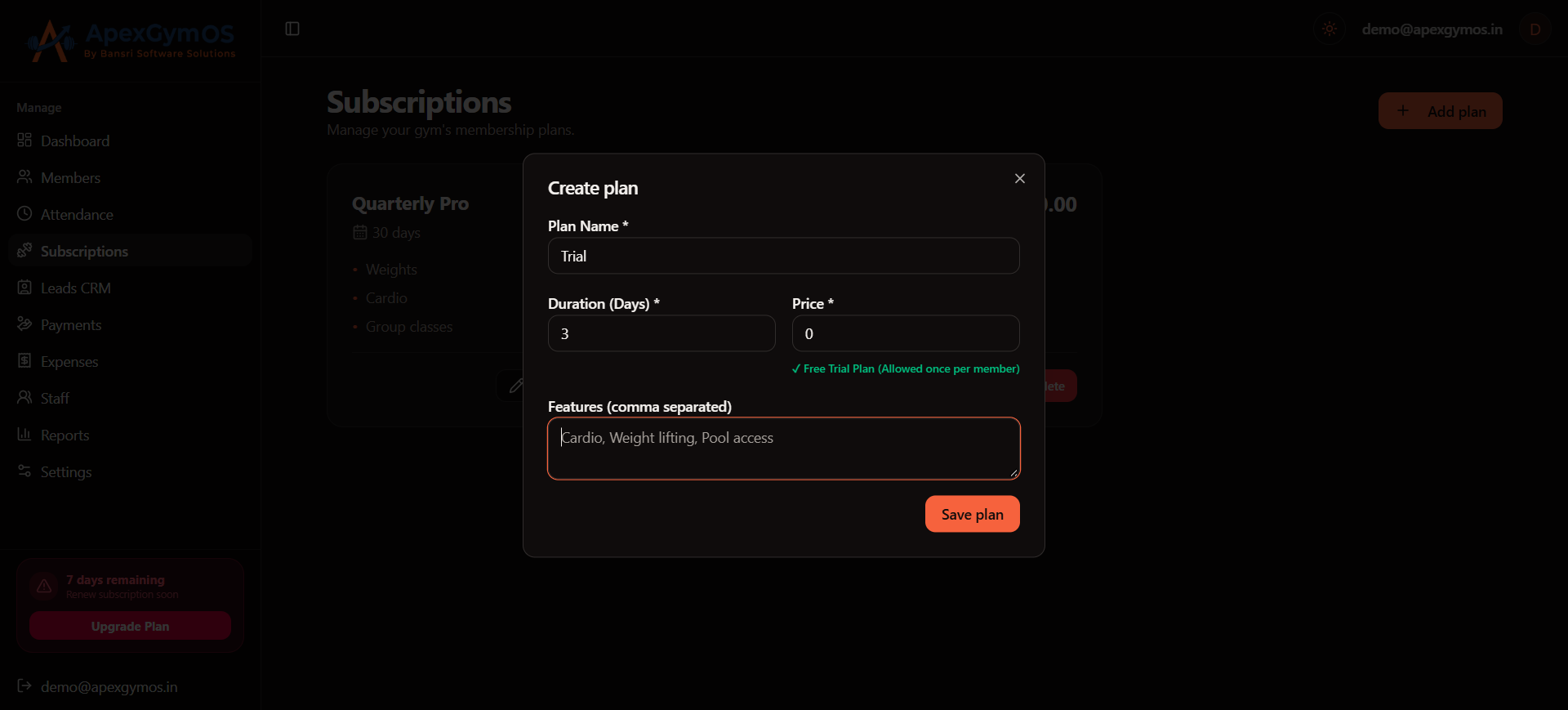
Features
Add the features included with the membership plan.
Enter multiple features separated by commas.
For example:
Gym Access, Cardio Area, Strength Training, Locker Access
Keep the feature list clear so staff and members can understand what is included in the selected plan.
Free Trial Plan
ApexGymOS supports a free trial membership by setting the plan price to 0.
For a free trial:
- Set Price to
0. - Add the trial duration in Duration (Days).
- Add the features available during the trial.
- A member can use the free trial only once.
- The same member cannot take the free trial again after already using it.
Example Free Trial
| Field | Value |
|---|---|
| Plan Name | Free Trial |
| Duration (Days) | 1 |
| Price | ₹0 |
| Features | Gym Access, Cardio Area, Strength Training |
Example Paid Membership Plan
| Field | Value |
|---|---|
| Plan Name | 3 Months Pro |
| Duration (Days) | 90 |
| Price | ₹4,500 |
| Features | Gym Access, Cardio Area, Strength Training, Locker Access |
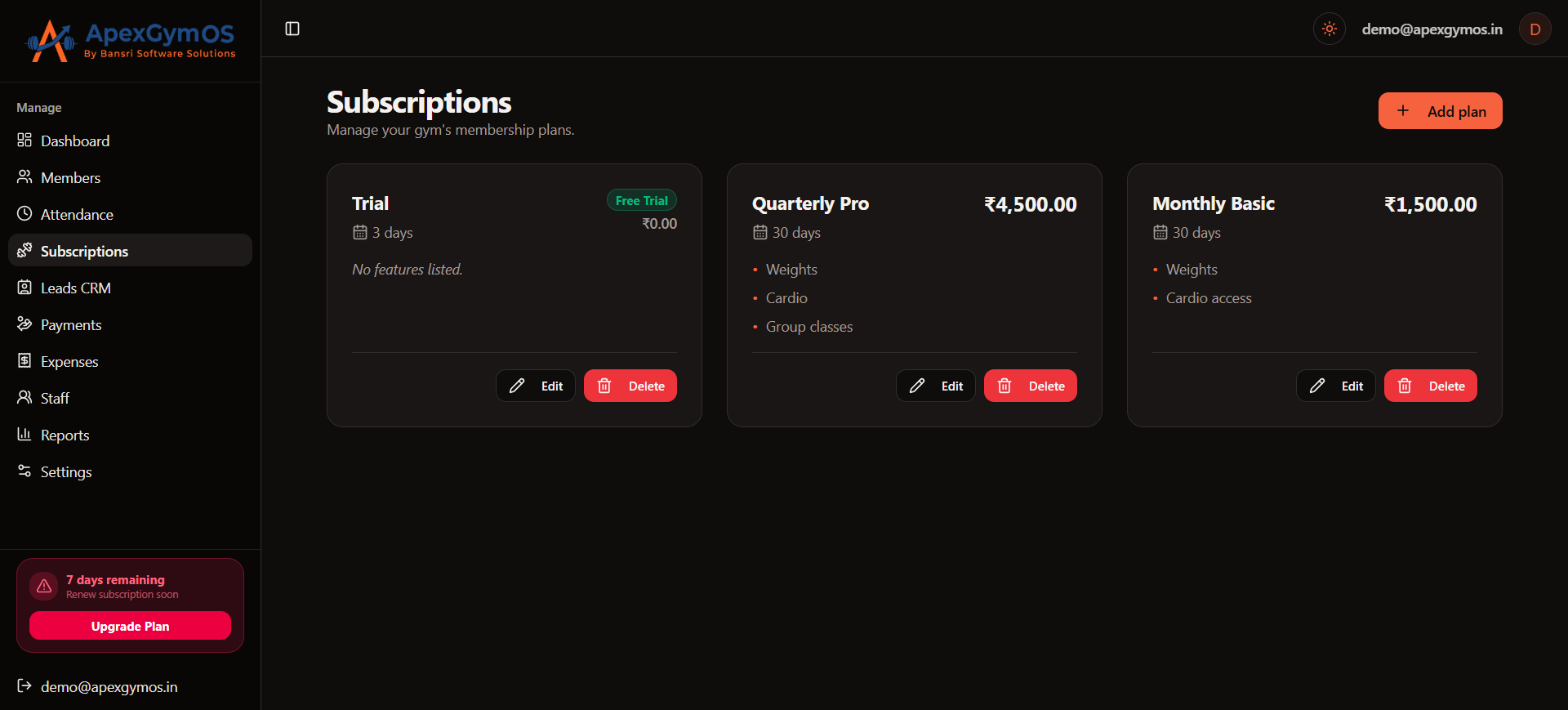
Review Your Plans
After creating your plans, review the plan name, duration, price, and features before using them for member registration.
Your membership plans will then be available when adding or renewing members.
Membership Plan Checklist
Before saving a plan, make sure you have
- Added a clear Plan Name
- Entered the correct Duration (Days)
- Added the correct Price
- Set trial plans to ₹0
- Added all included Features
- Separated multiple features with commas
- Confirmed the free-trial one-time usage rule
Once your membership plans are ready, you can use them when adding new gym members or renewing existing memberships.
Was this guide helpful?
Help us improve ApexGymOS documentation.